One truck. Zero phone calls. A complete record.
Yard Control runs the truck logistics of a plant end to end. From the window a carrier books without calling anyone, to the departure the system closes on its own.
- Six roles administrator to driver
- Slovak and English ready for further languages
- Cloud or on-premise SLA by agreement
One unloading, in under two minutes Recorded in the running system. Narration in Slovak.
tractor unit inbound
booking code
assigned dock
From order to departure
Seven checkpoints in one system. Each has someone responsible for it and a timestamp of its own.
- Order Dispatcher
- Window System
- Booking Carrier
- Gate Gatekeeper
- Yard Warehouse
- Dock Warehouse
- Departure Gatekeeper
What the plant notices on day one
-
The yard, live
Who is due, who is on site, which dock is free. On one screen, with nobody on the phone.
-
Carriers book themselves
A carrier sees free slots only, never anyone else's booking. Driver and plates go in the form.
-
Capacity and windows, generated
Set the rules once. The system opens windows four weeks ahead, shutdowns included.
-
Every transport keeps its record
Each status and intervention carries a timestamp and an author. The record stays for audit.
The base package
Eleven modules covering the whole movement of a truck through the plant. None of it is an extra.
-
Orders
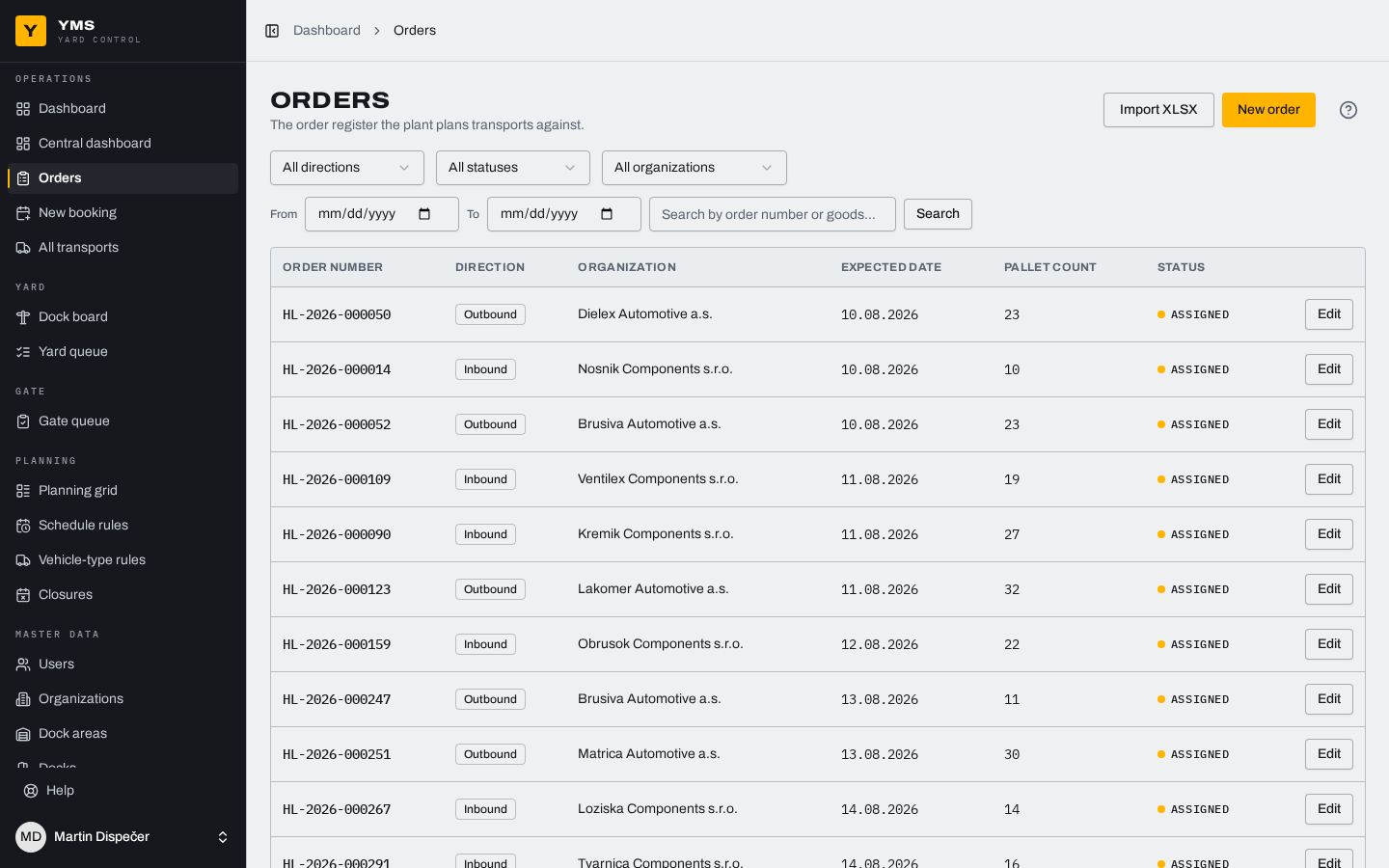
By hand or imported from XLSX, previewed before anything is written.
-
Time windows and capacity
Set the rules once; windows then open four weeks ahead.
-
Transport bookings
Carriers book their own slot, with the nearest free time suggested.
-
Arrival registration
The gatehouse clears an arrival or a departure in two clicks.
-
Driver kiosk
Self-service check-in by code, with the briefing and consents.
-
Dock operations
A proposed free dock, the yard queue, and the state of every dock.
-
Checklists
Packaging, seals, pallets. A NOK answer requires a note.
-
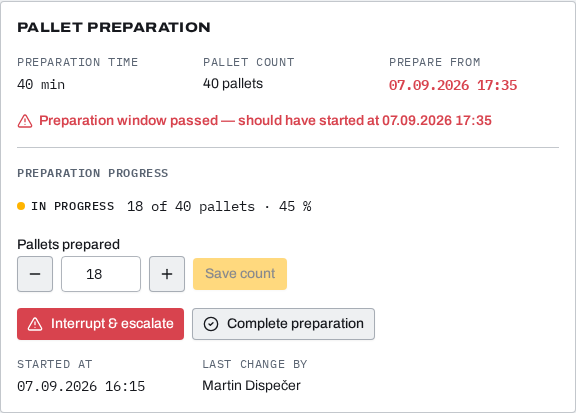
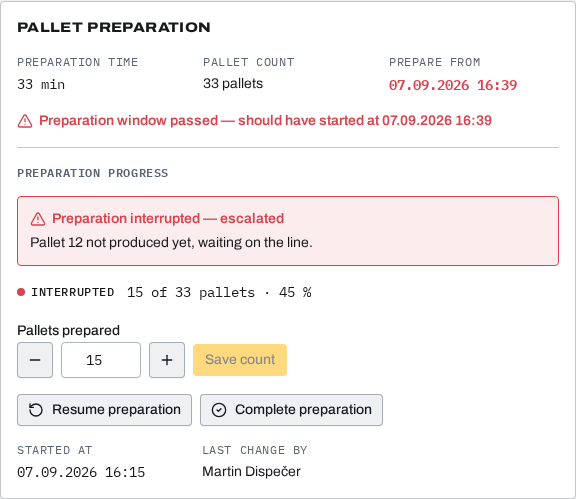
Pallet preparation
Preparation time, progress, and a warning when time runs short.
-
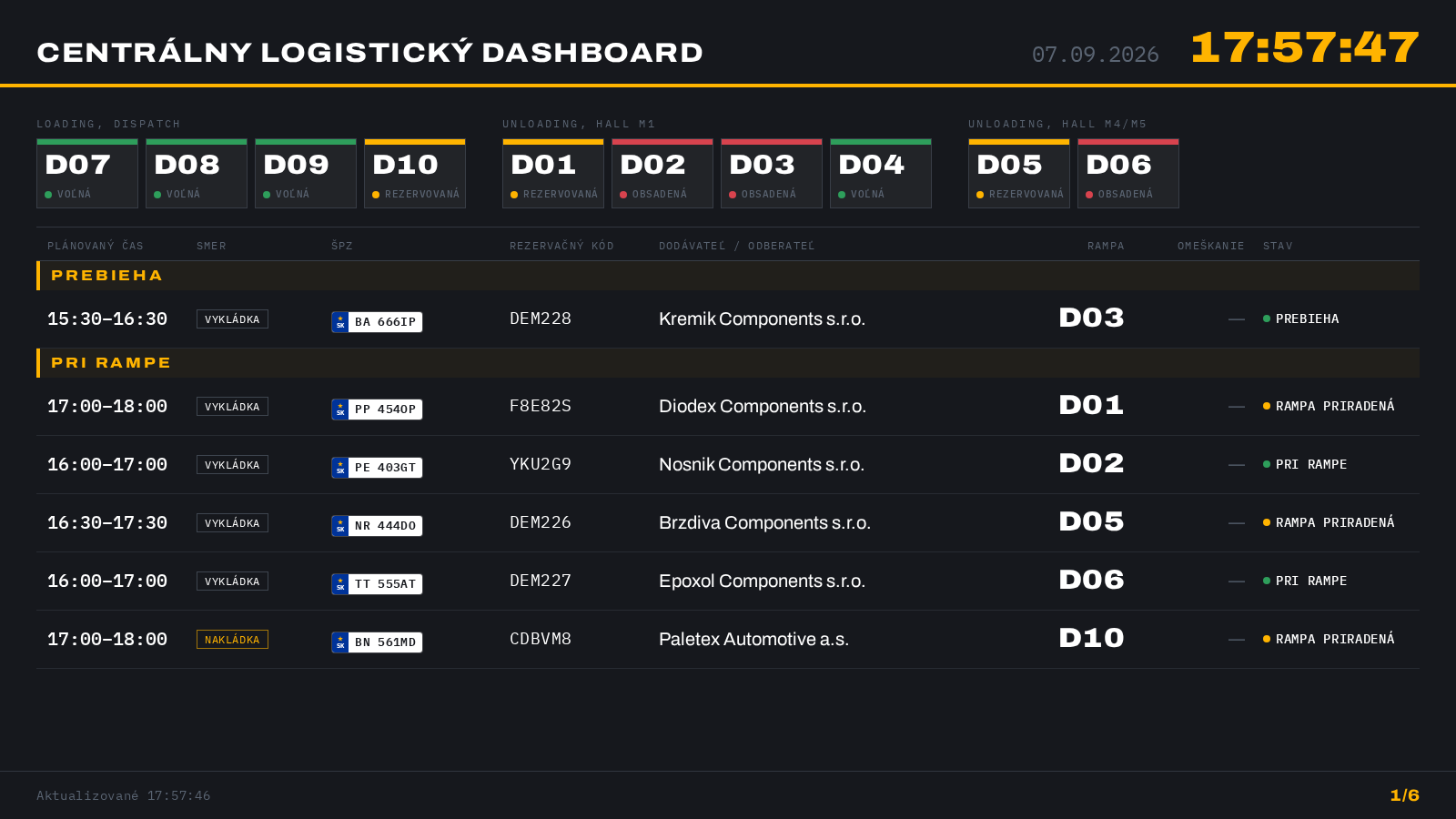
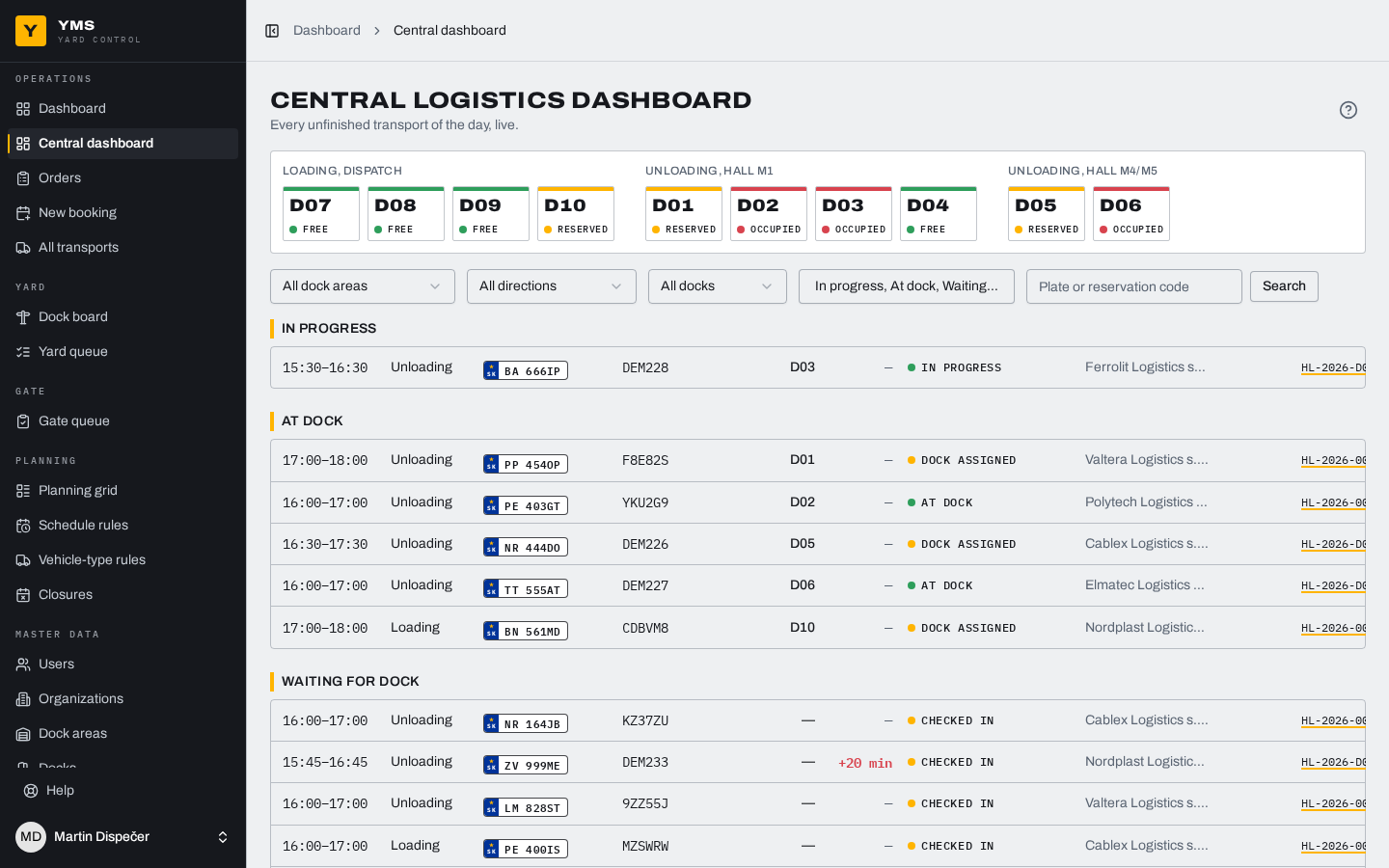
Dashboards and boards
Wall boards plus an interactive view with filters.
-
In-app help
Every screen explained, in Slovak and in English.
-
Code lists and users
The administrator manages master data and roles without IT.
One unloading, from order to departure
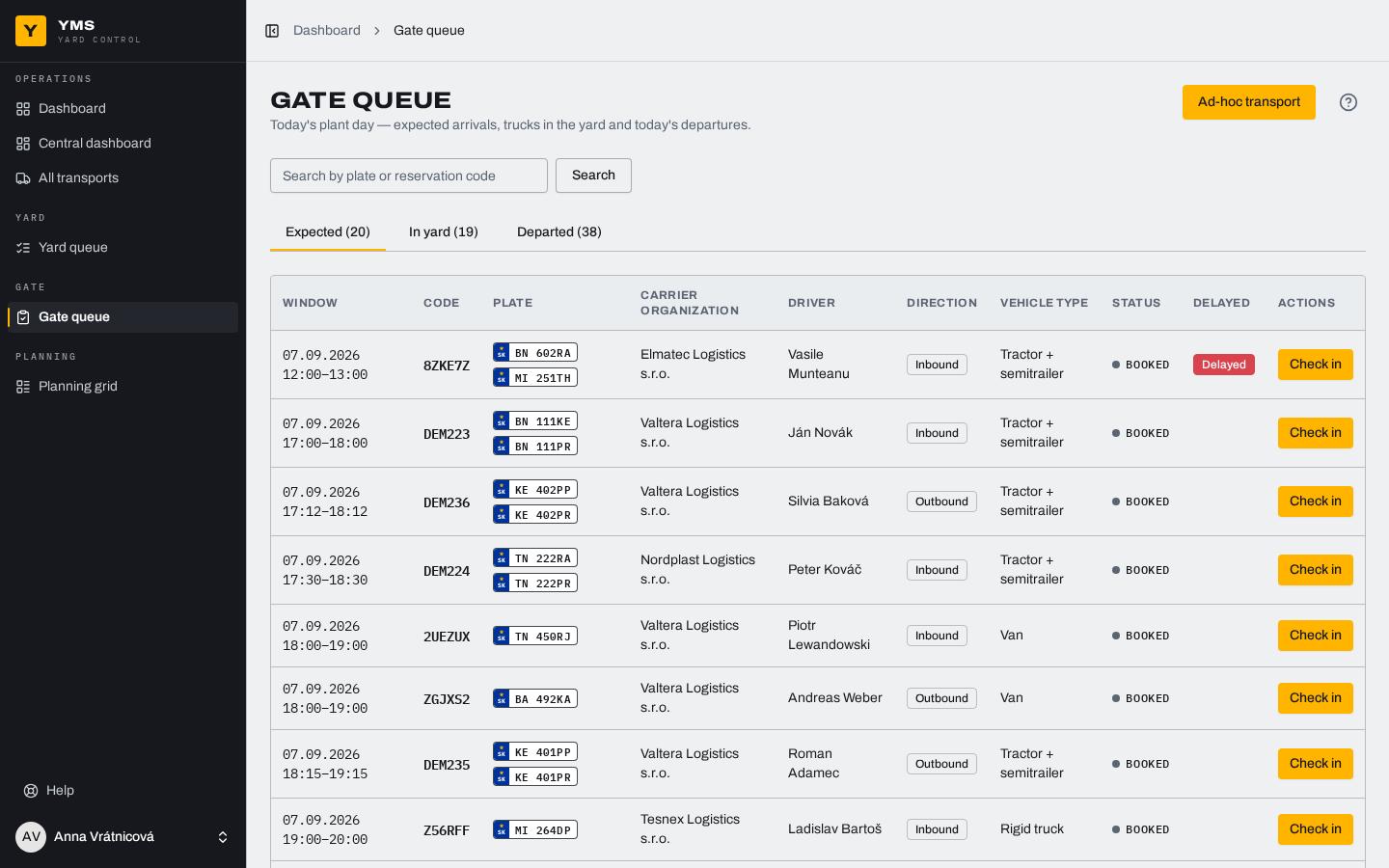
Transport TN 222RA, booking DEM224. The same run you see in the video, step by step.
Before arrival D is the delivery day.
D-4 Dispatcher
Order
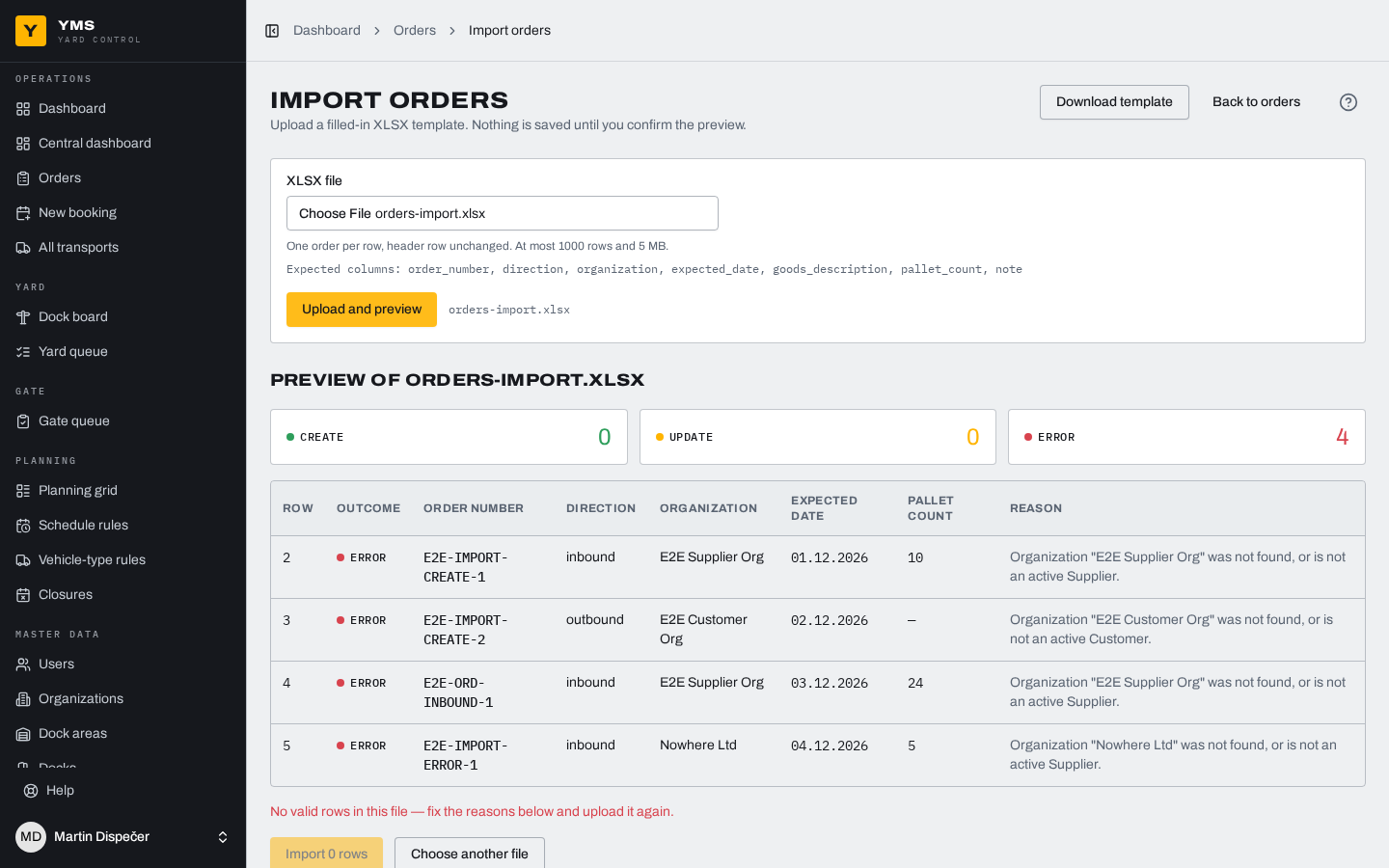
The dispatcher adds an order by hand or imports a batch from XLSX. The system validates the file row by row and shows a preview before anything is written: what gets created, what gets updated, what is an error.
D-4 Dispatcher
Capacity and windows
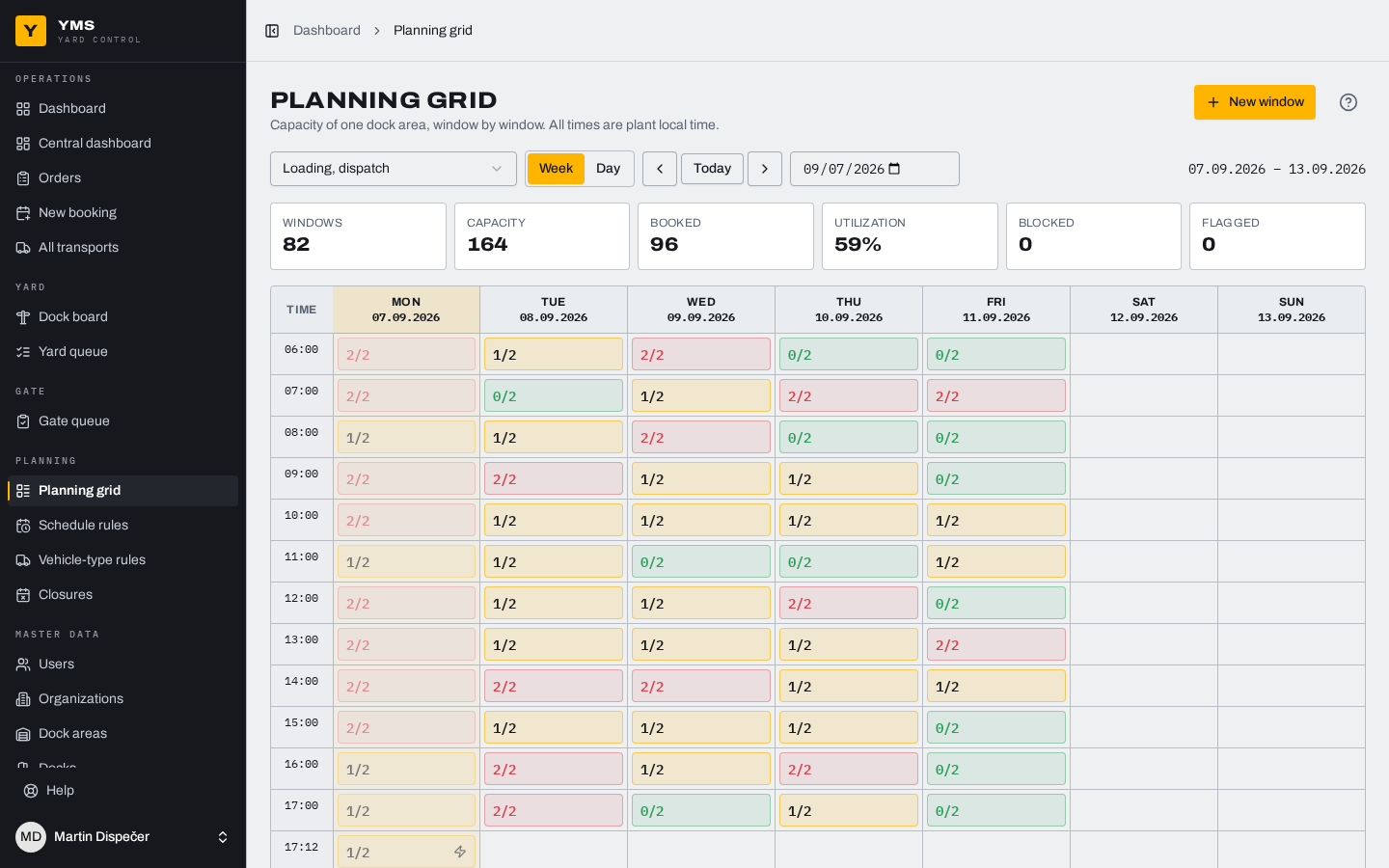
The dispatcher sets dock hours, slot length and capacity. From those the system generates windows four weeks ahead, shutdowns and closures included. The planning grid shows the load live.
D-2 Carrier
Booking
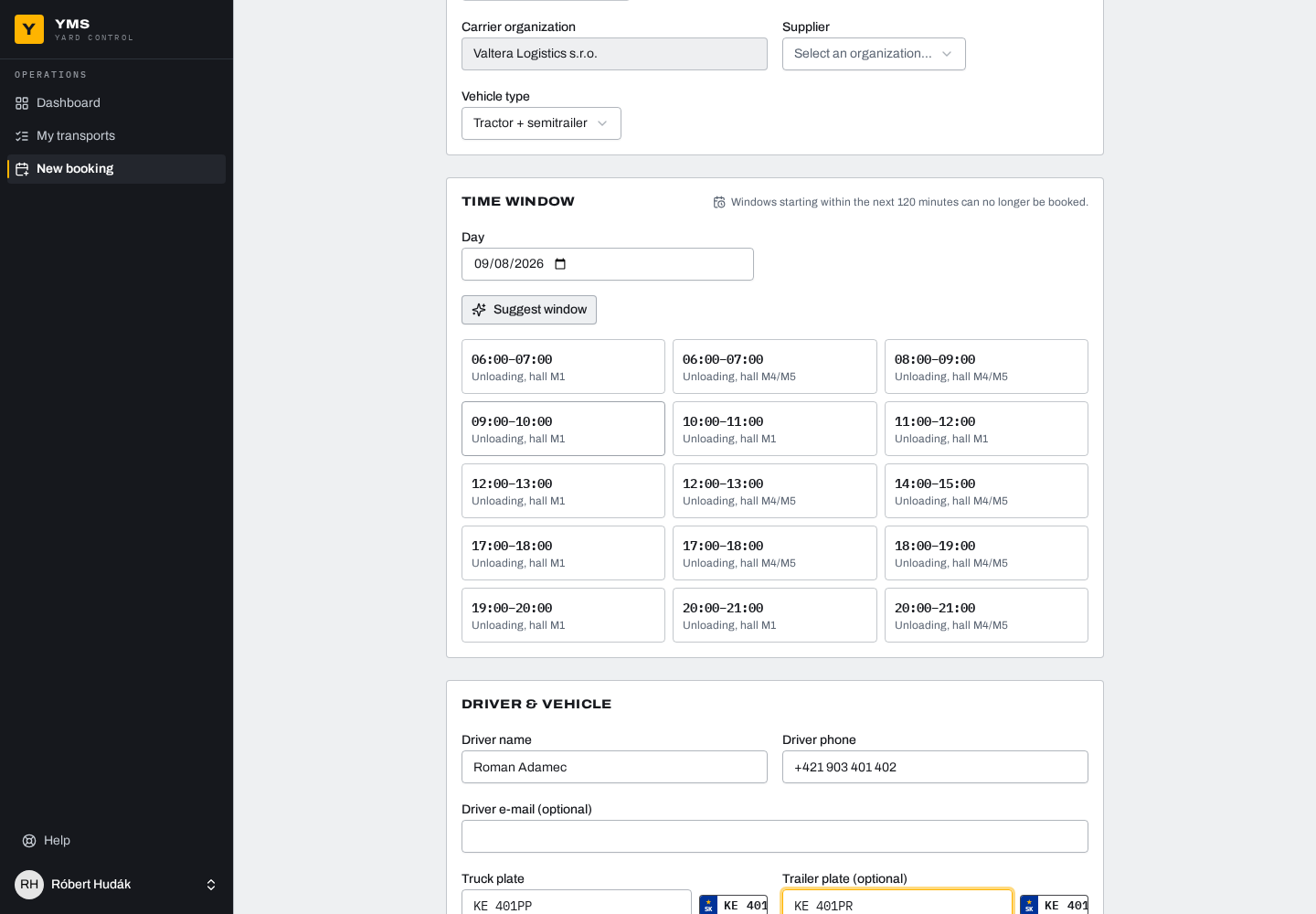
The carrier books the window itself. It enters the driver, the tractor and trailer plates and attaches the order. A suggestion offers the best free slots. The booking gets code DEM224 and a printable summary for the driver.
On the day
07:52 Gatekeeper, driver
Gate
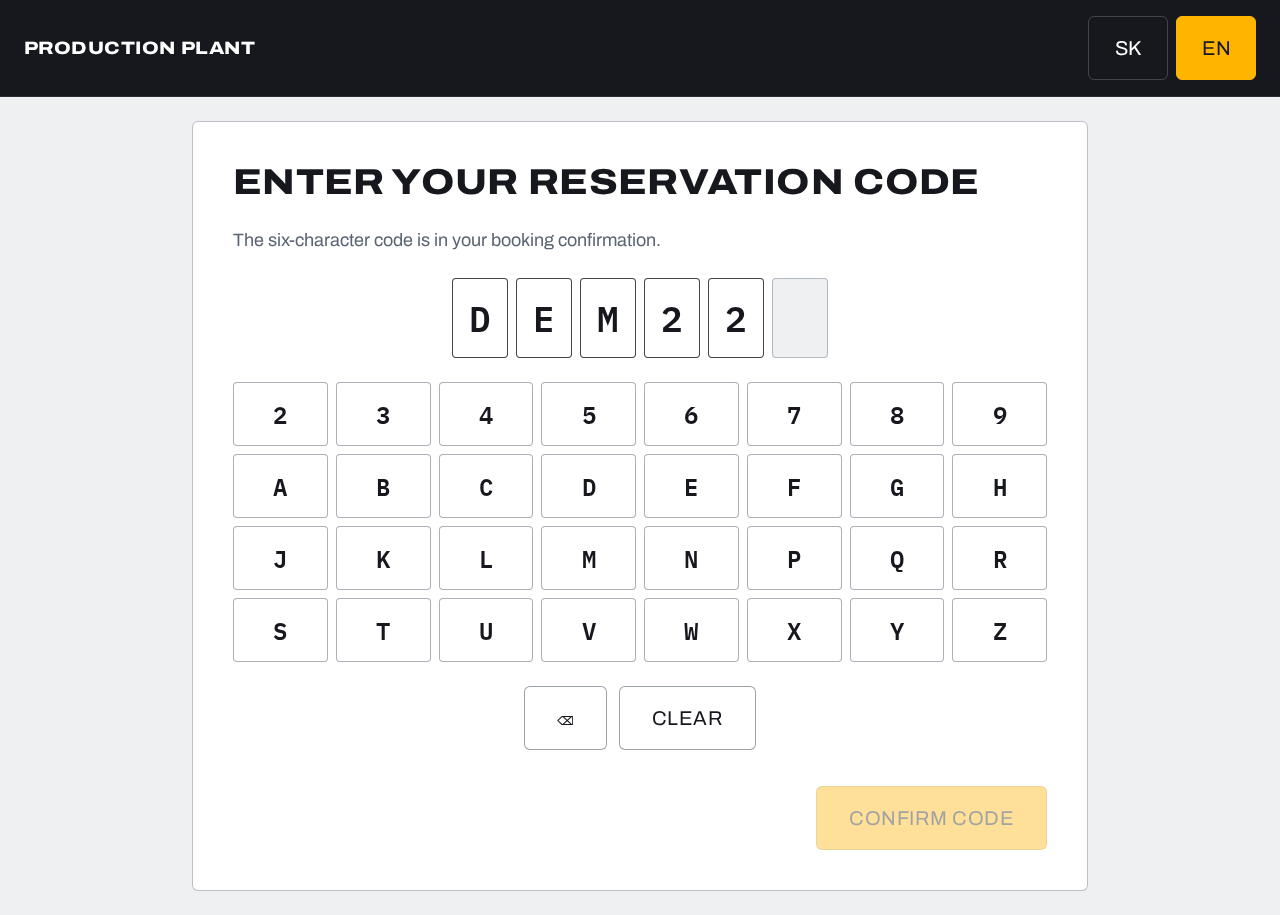
The driver types the code into the self-service kiosk, or the gatekeeper finds it by plate in two clicks. An early arrival is flagged and the gatekeeper decides. A courier without a booking is registered as an ad-hoc transport.
08:03 Warehouse, driver
Yard
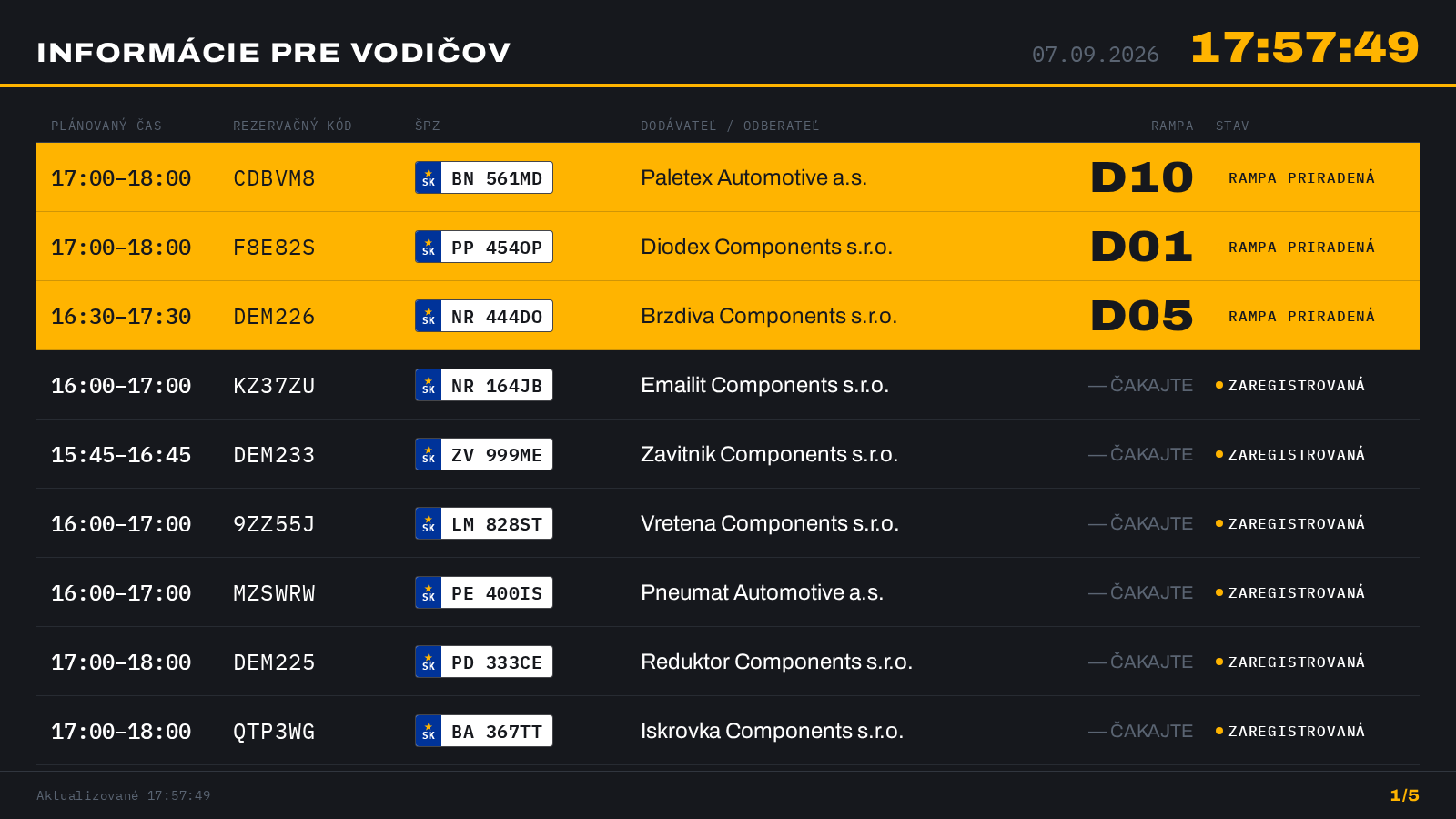
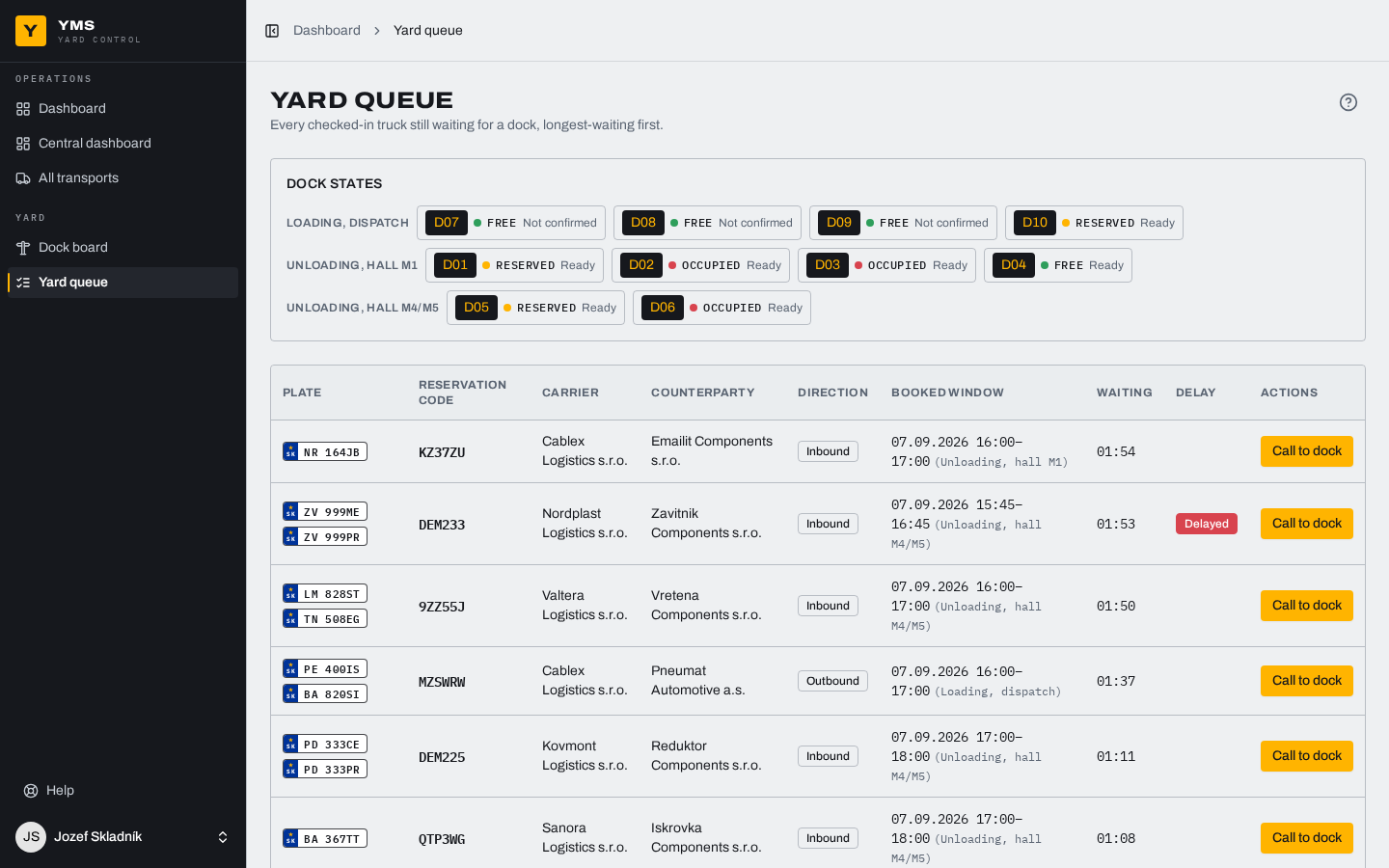
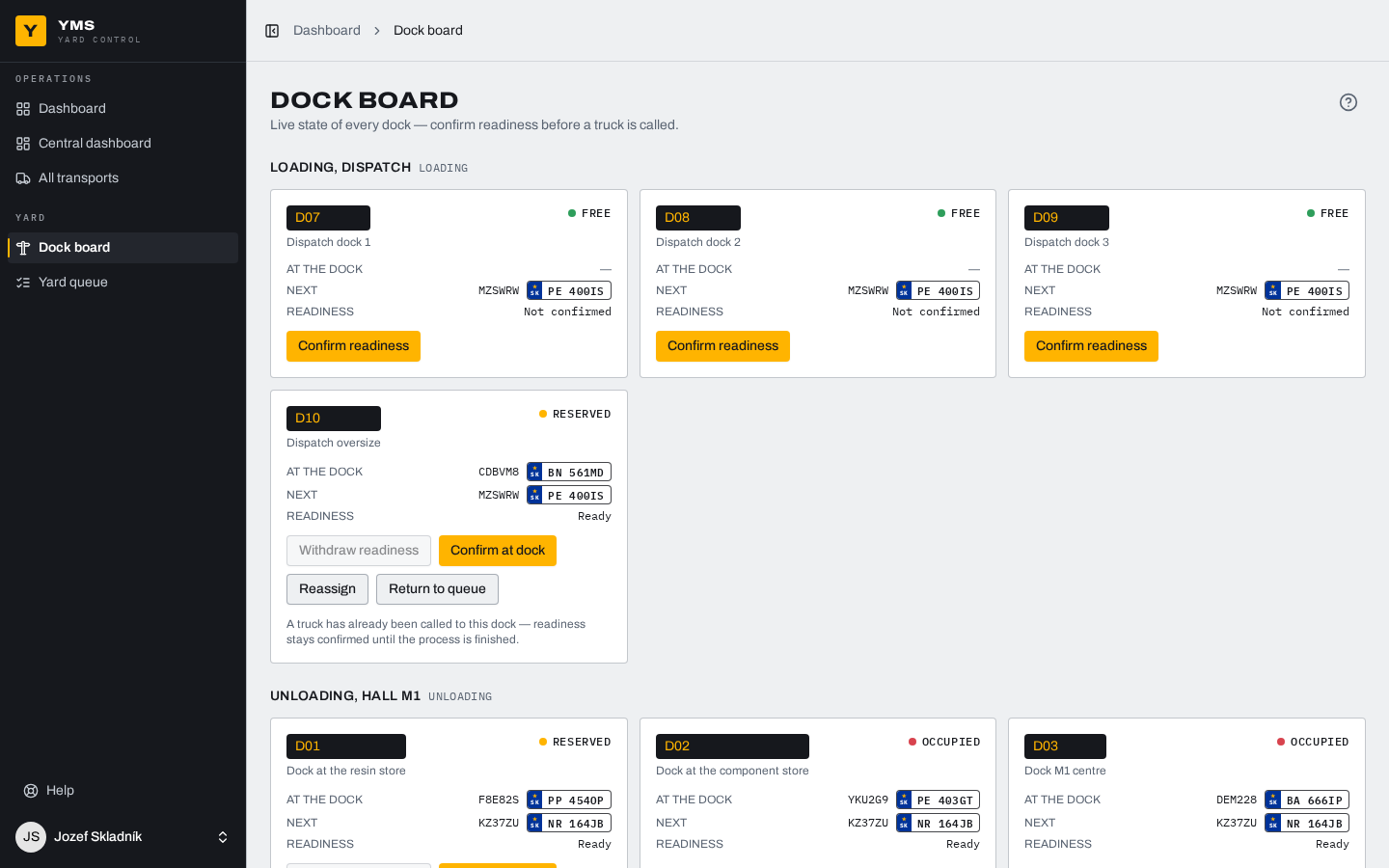
The system proposes a free dock in the right zone and the operator confirms it or assigns one by hand. The yard queue shows waiting trucks with their waiting time. The driver board in the yard shows the driver a plate and its dock.
08:11 Warehouse
Dock
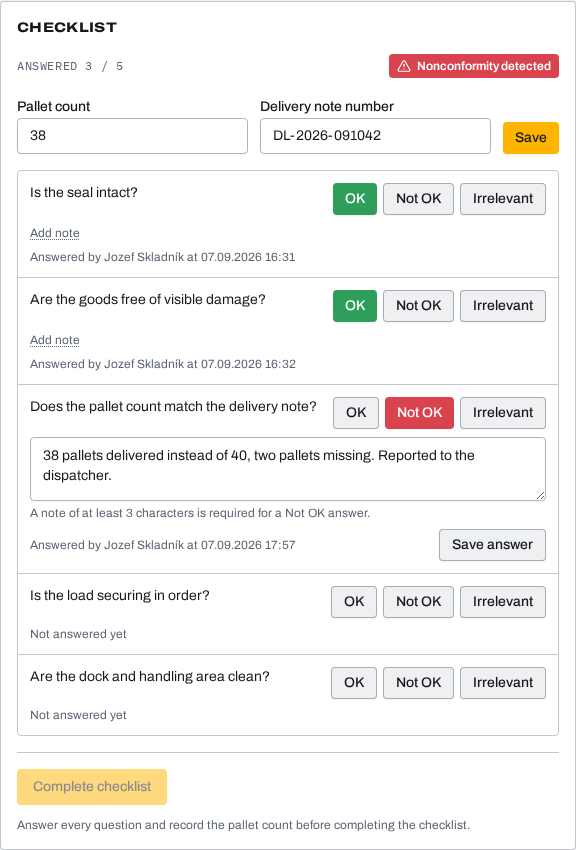
The operator confirms the truck is docked and starts unloading, and every step carries a timestamp. The checklist covers packaging, seals and pallets. A NOK item requires a note and the discrepancy stays visible. Unloading cannot be closed with an open checklist.
09:26 Gatekeeper, dispatcher
Departure
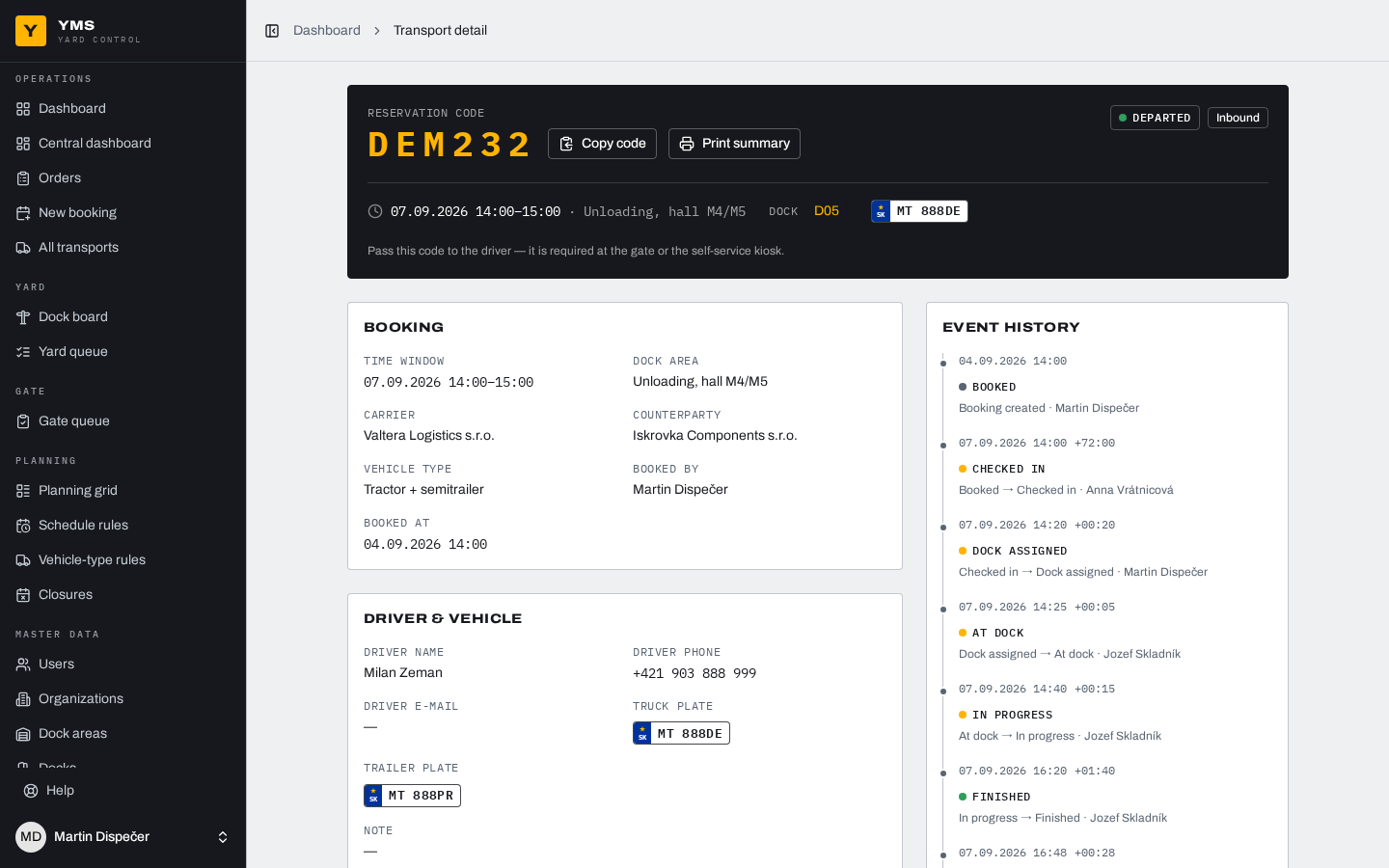
The dock frees up for the next truck, the gatekeeper confirms the departure and the order closes as fulfilled on its own. The transport timeline stays as a permanent record with real times.
What the system handles on its own
Operations do not follow the plan. The system does not wait to be told.
-
Late arrival
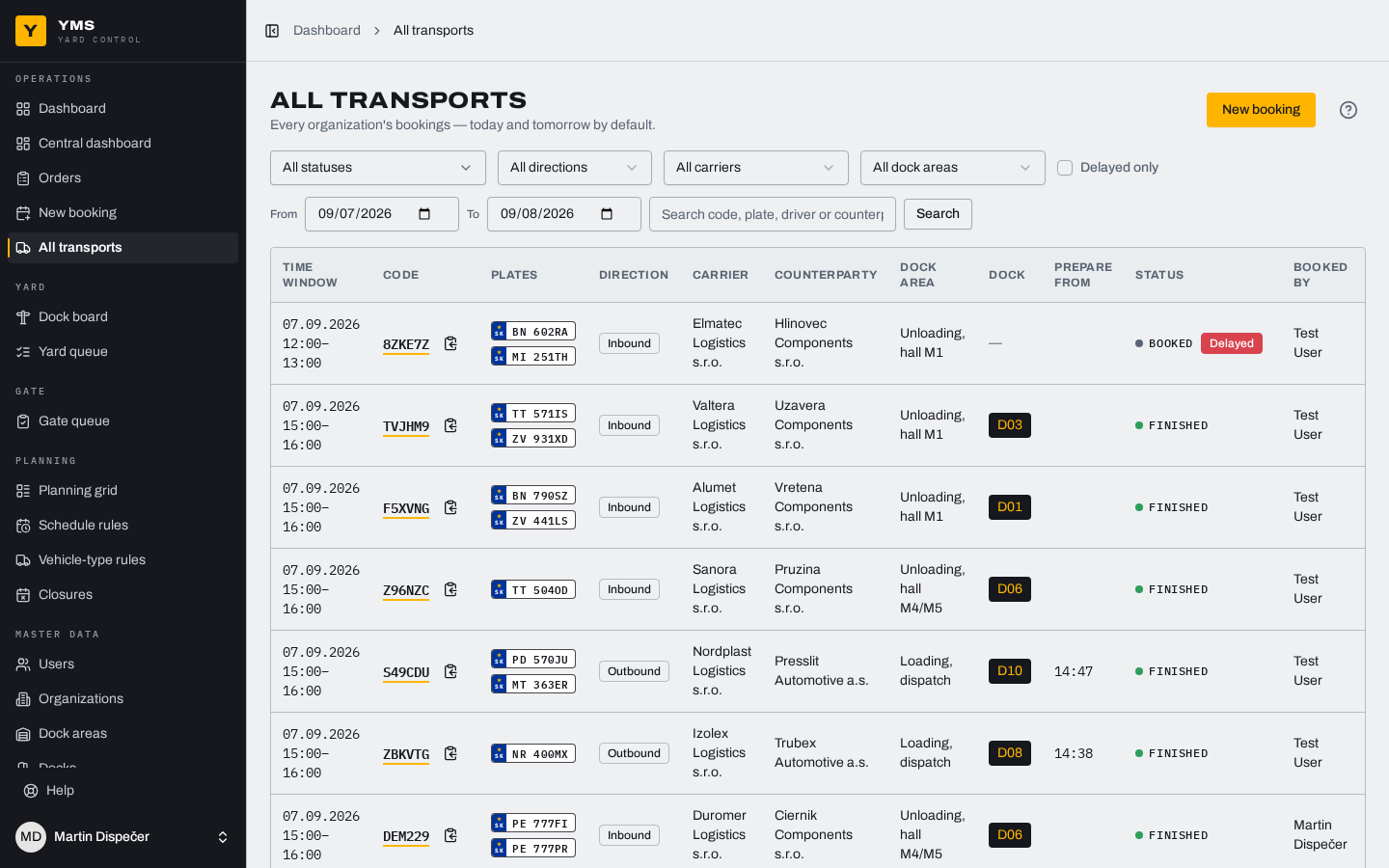
Once the window opens with no arrival, the transport is flagged as late.
-
No arrival at all
After a grace period it becomes a No-show and the transport is missed.
-
Full window
Capacity is guarded by the database itself. An overbooked window cannot exist.
-
Early arrival
The kiosk sends the driver to the gatehouse and the gatekeeper decides.
-
Cancellation
Always with a reason from the code list, up to two hours before the window.
-
Courier with no booking
The gatekeeper allows an ad-hoc transport, which then runs the same process.
Dispatch knows when to start
On outbound transports the system works out the pallet preparation time and shows when it has to begin. If there is not enough time before the window, it warns you before the truck shows up in the yard. The operator ticks progress off as it happens, and interrupted preparation is escalated to the dispatcher.
Wall boards and dashboards
- The central board shows docks and transports in five groups.
- The driver board is for drivers in the yard, with no internal data.
- The in-app dashboard adds filters for dispatch and the warehouse.
- Screens refresh themselves and recover from a network drop.
Run it without IT
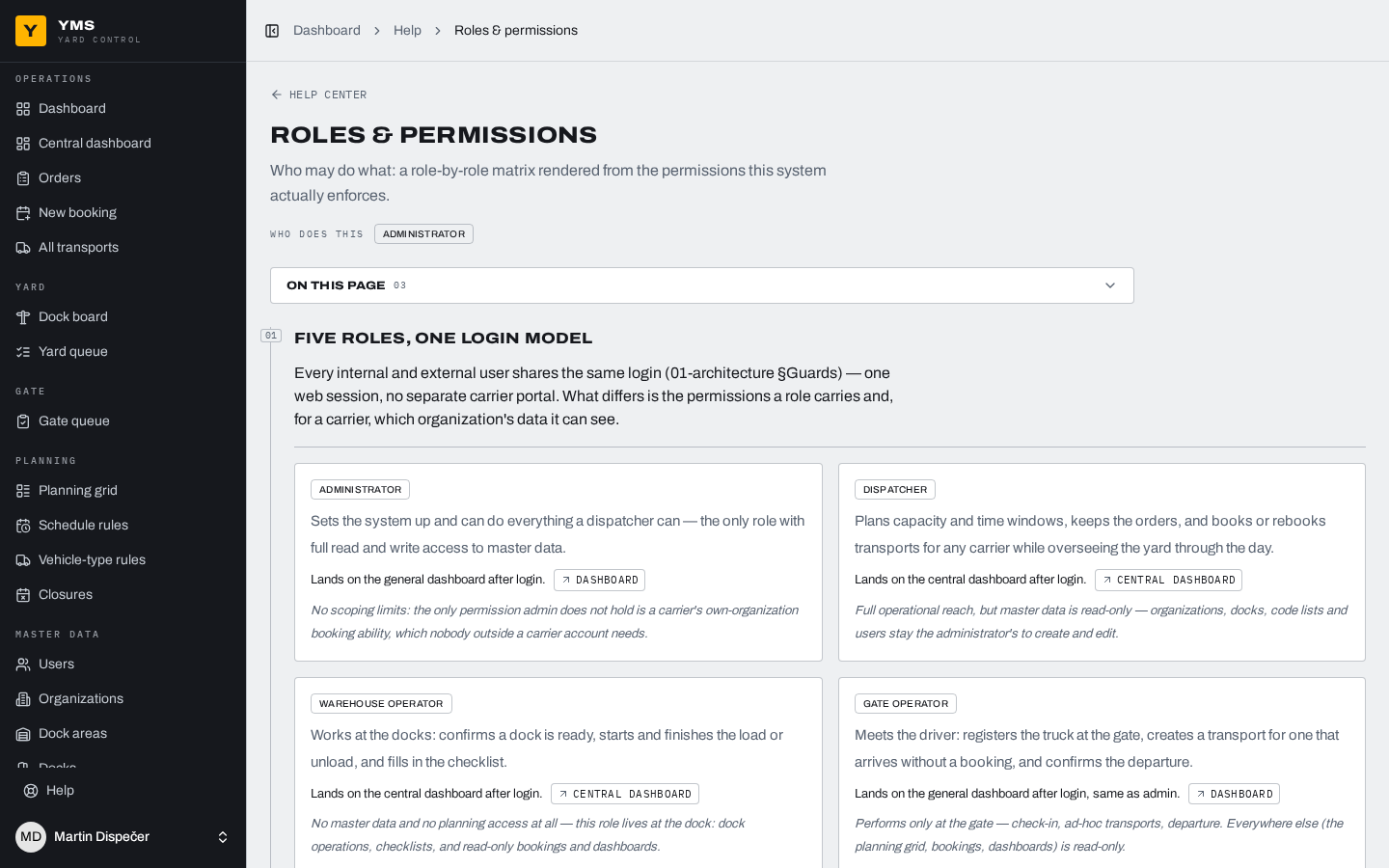
- Code lists and checklist templates are the administrator's to manage.
- Six roles with precisely bounded rights.
- Carriers see their own data and nothing else.
- Built-in help on every screen, in Slovak and English.
- Changes to master data are audited.
The driver carries the transport
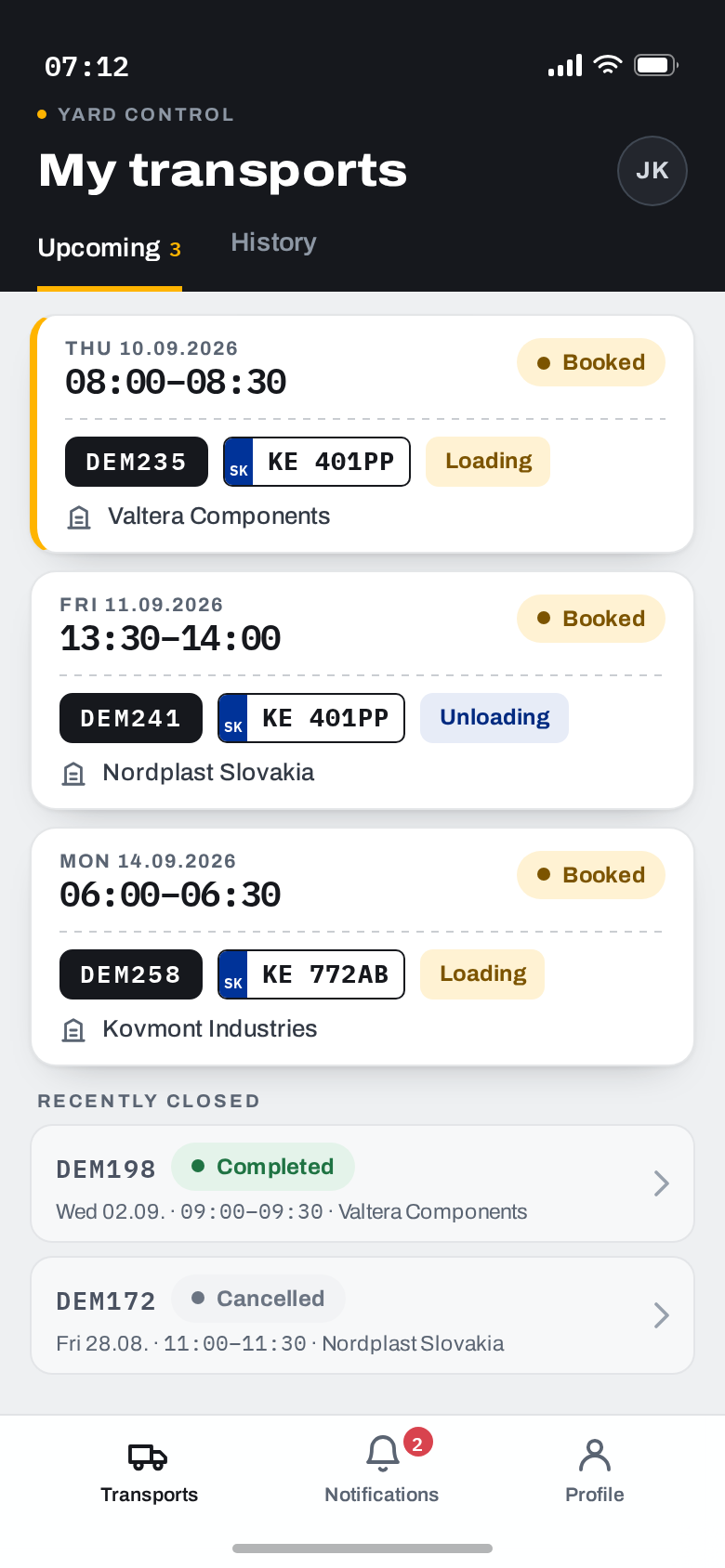
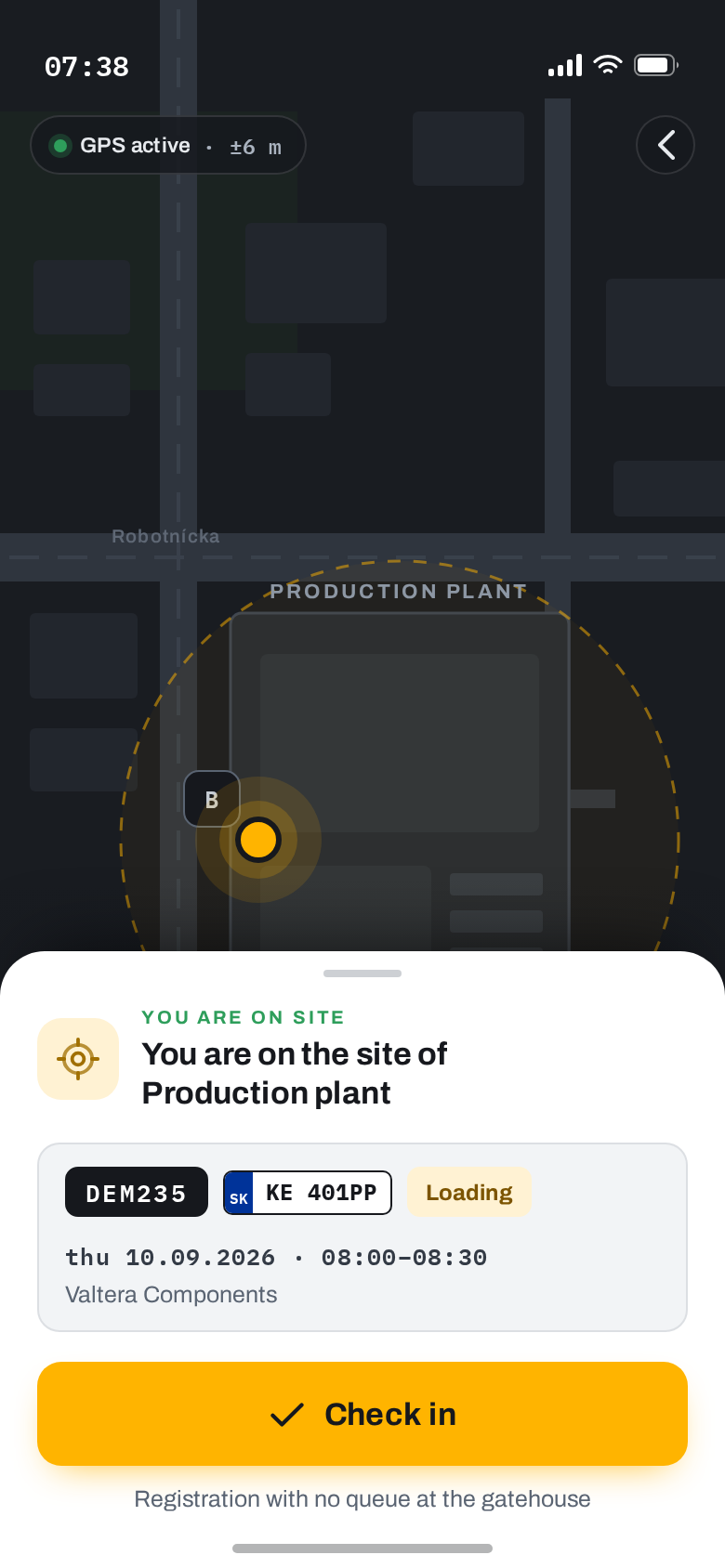
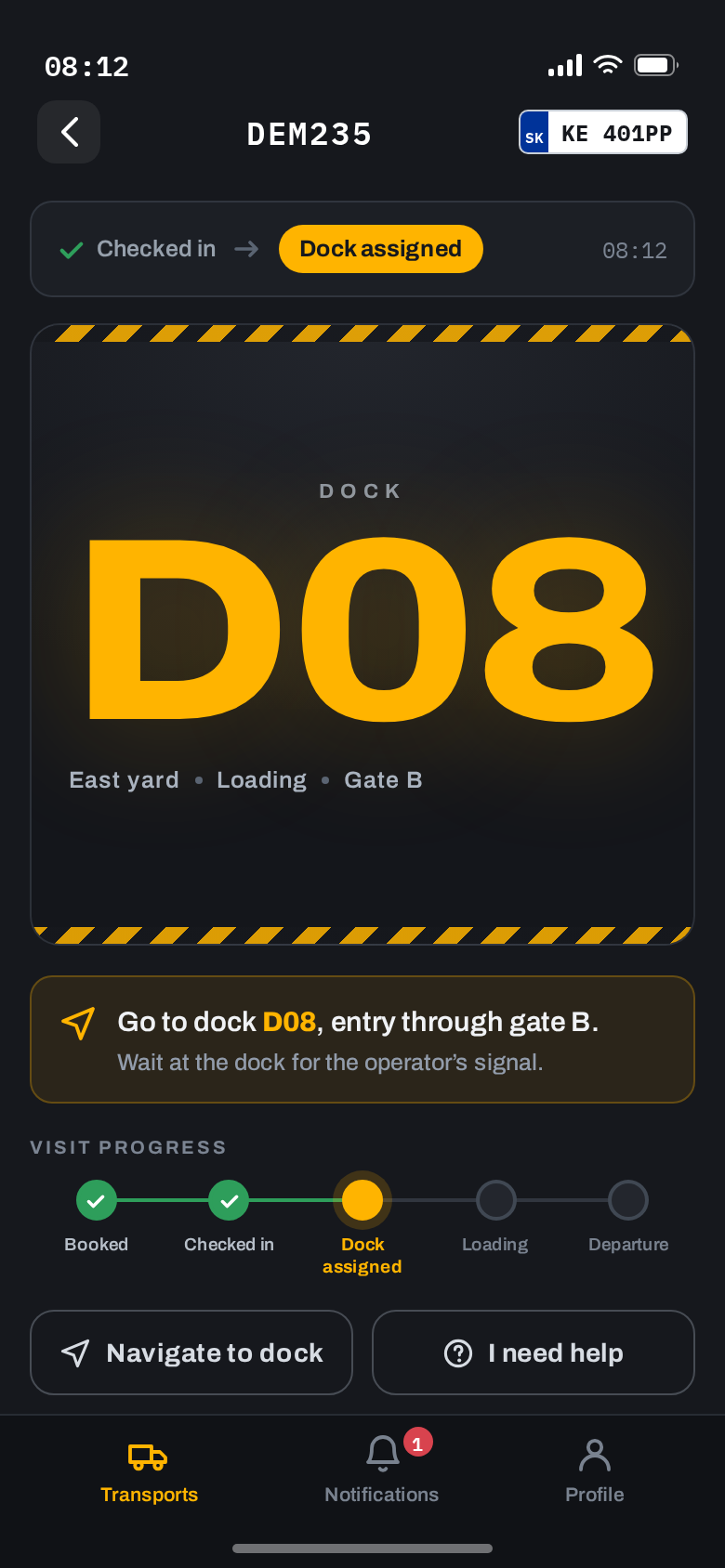
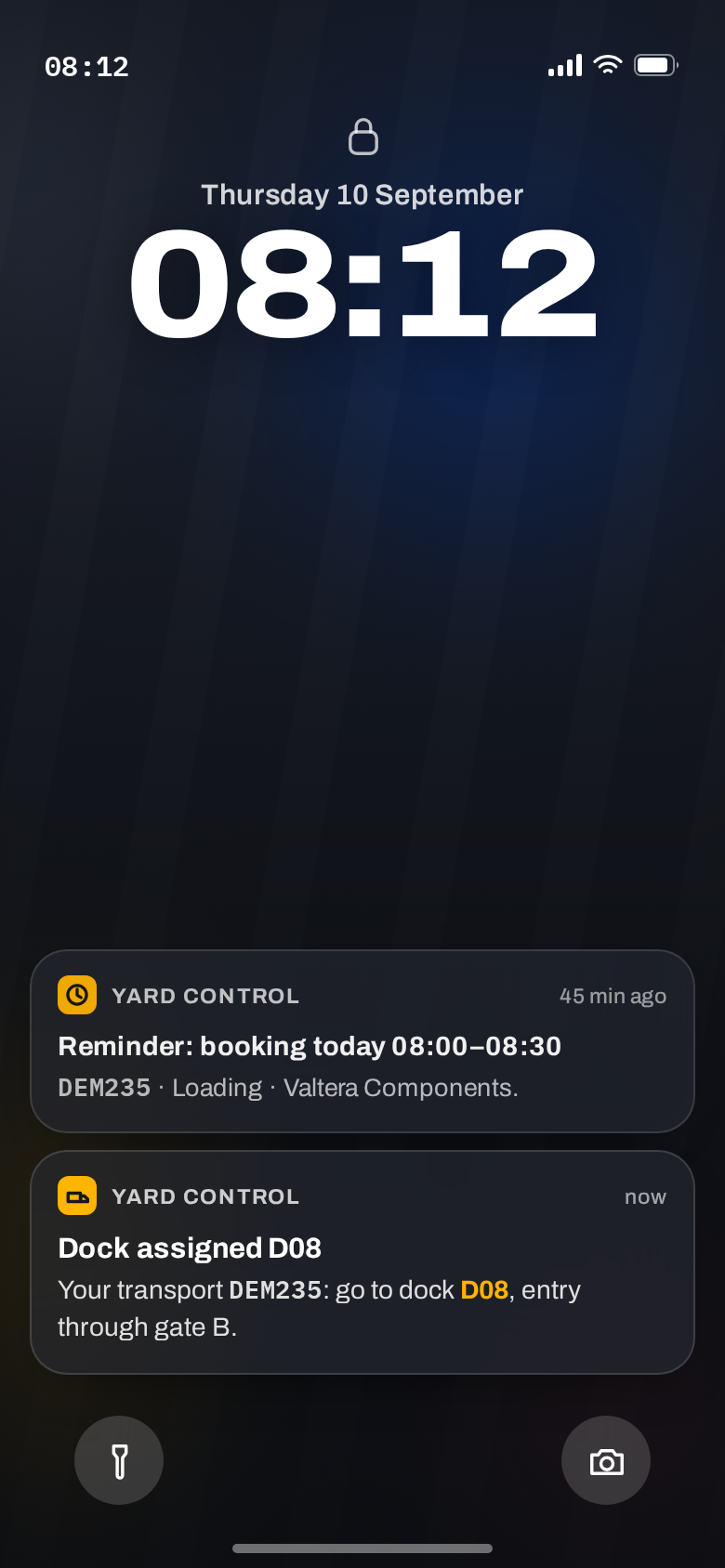
The driver app brings accepting a transport, arrival by GPS without stopping at the gatehouse, a push notification with the assigned dock, and transport history. The base system is ready for it: the API, the consents and the registration channels are already in place.
Built properly
-
300+
automated tests on every change
-
250+
end-to-end scenarios in a real browser
-
<300ms
dashboard response under full load
Capacity and state invariants are guarded by the database itself. No overbooked window, no lost state.
Other features
Every further phase attaches. Nothing gets rebuilt.
- Driver mobile application
- Email and SMS notifications for carriers and drivers
- ANPR cameras and automatic gate opening
- Photo documentation and QR scanning in checklists
- SAP or ERP integration and Microsoft Entra
- Reporting and XLSX exports over history
- Eleven further languages
The demo environment is ready
We will walk it through on your process, not on somebody else's example. Pricing comes in a separate document.
What happens next
- We answer the same working day.
- We agree a demo slot, online or at your plant.
- The pricing follows in its own document.